
“My phone was charging, but the battery percentage barely moved.”
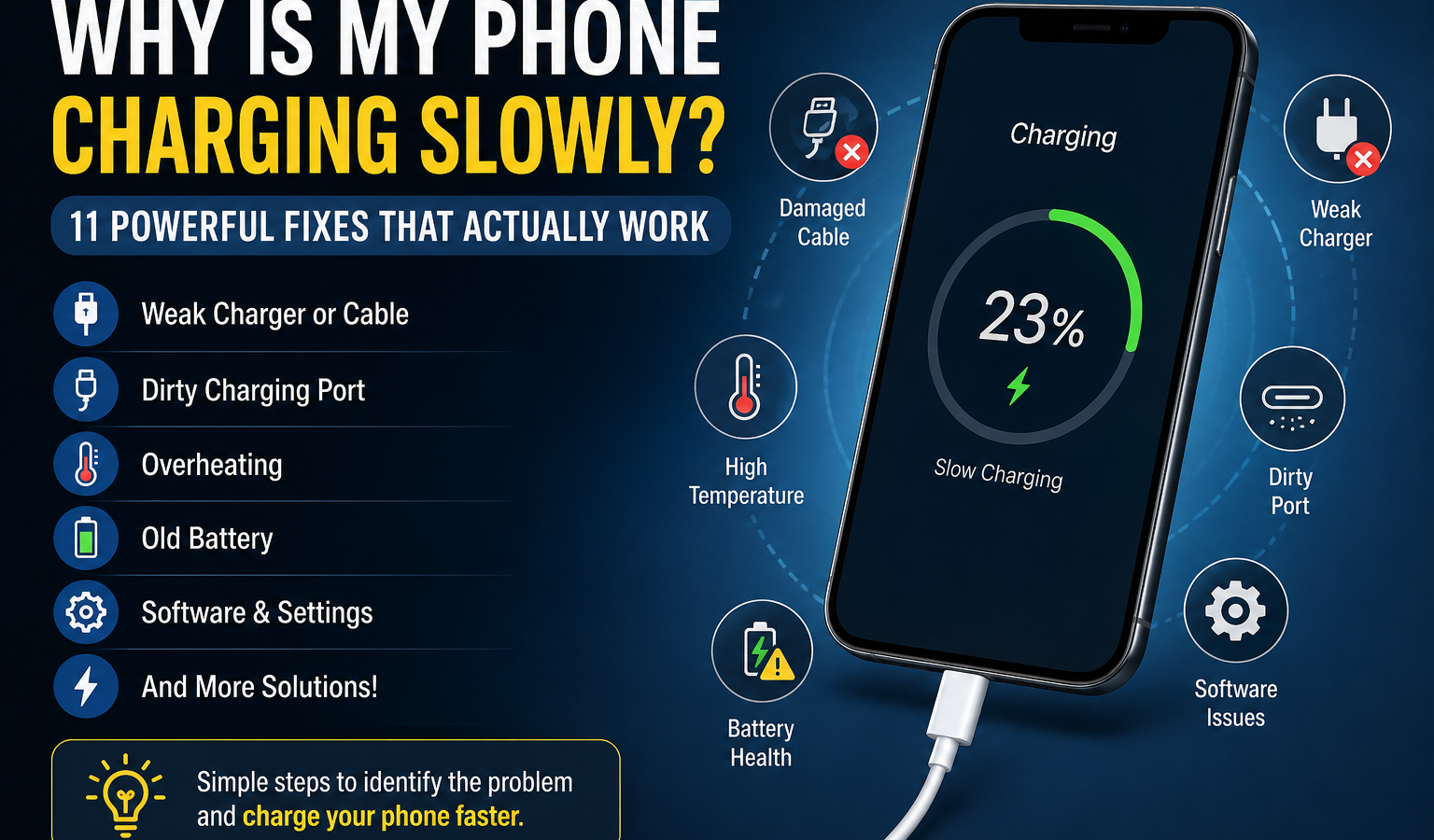
That’s frustrating, especially when you’re in a hurry and expect your phone to charge quickly. If you’re wondering why is my phone charging slowly, the problem usually isn’t mysterious. A weak charger, damaged cable, dirty charging port, high phone temperature, battery wear, background activity, or charging settings can all reduce charging speed.
The good news is that many slow-charging problems are easy to identify and fix at home.
Quick Answer
Your phone may be charging slowly because of a weak or incompatible charger, damaged charging cable, dirty charging port, high device temperature, battery health issues, background activity, wireless charging limits, or a software problem.
Start by checking the charger and cable, trying another wall outlet, inspecting the charging port, keeping the phone cool, and testing another compatible charger.
Why Is My Phone Charging Slowly?
A phone charges slowly when it isn’t receiving as much usable power as it normally can, or when the device deliberately reduces charging speed. Depending on your phone model and charger, charging speed can be affected by the phone charger, charging cable, USB power source, charging port, battery condition, temperature, software, and charging settings.
For example, plugging a modern phone into a low-power USB port on a computer may provide much less power than a compatible wall adapter. Likewise, a damaged cable can create an unstable connection that reduces charging performance.
Sometimes slow charging is intentional. Phones can reduce charging speed when the battery is nearly full, the device becomes too warm, or battery-protection features are active.
So, when asking why is my phone charging so slowly, the first step is to determine whether the slower speed is caused by the accessories, the phone itself, or normal charging behavior.
Common Reasons Your Phone Is Charging Slowly
1. The Charger Is Too Weak or Incompatible
One of the most common causes of slow phone charging is a power adapter that doesn’t provide enough power for your device.
A phone may still charge when connected to a low-power adapter, but the charging speed can be much slower than expected. Compatibility also matters because fast charging systems may require specific power-delivery standards.
A fast charger doesn’t automatically make every phone charge faster. The phone and adapter need to support compatible charging technology.
2. The Charging Cable Is Damaged
Your charging cable is just as important as the wall adapter. A cable that is bent, worn, loose, or damaged internally may provide an unstable electrical connection.
You might notice that charging starts and stops, the battery percentage increases very slowly, or the phone only charges when the cable is held at a certain angle.
Testing another good-quality, compatible cable is one of the easiest ways to identify the problem.
3. The Charging Port Is Dirty or Blocked
Pocket lint, dust, and debris can build up inside a phone’s charging port. Even a small amount can prevent the cable from making proper contact.
When the connection isn’t secure, the phone may charge slowly or disconnect intermittently.
Don’t push sharp objects deep into the port. Carefully inspecting the port and using a safe cleaning method recommended for your device is much better than trying to scrape it aggressively.
4. Fast Charging Is Turned Off
Some smartphones offer a fast-charging setting that can be enabled or disabled.
Depending on your Android model, charging options may appear under battery or device-care settings. Supported iPhone models and accessories can also have charging behavior affected by device settings and battery-protection features.
If your phone supports fast charging but suddenly seems much slower, check its charging settings.
5. The Phone Is Overheating
Heat can significantly affect charging behavior. When a phone becomes too warm, its charging system may reduce power to protect the battery and internal components.
An overheating phone may become noticeably slower while charging, particularly when you’re playing games, recording video, using navigation, or running other demanding apps.
Move the phone to a cooler location, stop demanding activities, and let the device return to a normal temperature before charging again.
6. You’re Using the Phone While Charging
Watching videos, playing games, using GPS, or running other demanding applications while charging can increase power consumption.
In that situation, the charger is providing energy, but the phone is also using some of it at the same time. This can make the battery percentage increase much more slowly.
This is particularly noticeable when the charger is low-power or when the phone is performing intensive tasks.
7. Background Apps Are Using Too Much Power
You may not realize how much power your phone is consuming in the background.
Apps syncing data, uploading photos, checking locations, refreshing content, or performing other tasks can increase battery usage while the phone is plugged in.
If your phone suddenly starts experiencing slow phone charging, check battery usage to see which apps are consuming unusual amounts of power.
8. The Battery Has Become Old or Degraded
A phone battery naturally loses capacity over time. Battery degradation doesn’t always mean that the phone will stop charging, but an aging battery can affect the overall charging and battery experience.
If your device is several years old and you’re also noticing poor battery life, unexpected shutdowns, or unusual charging behavior, battery health is worth checking.
Depending on the phone model, built-in battery-health tools may provide useful information.
9. Software or System Problems
Sometimes charging issues are related to software rather than hardware.
A temporary system bug, background process, incorrect charging setting, or outdated software can affect normal charging behavior.
A simple restart can clear temporary problems. Installing available system updates may also help when an update includes fixes for battery or charging behavior.
10. You’re Charging From a Computer or Weak USB Port
Charging from a desktop computer, laptop, monitor, car USB port, or another low-power USB source may be slower than charging from a suitable wall adapter.
This doesn’t necessarily mean something is wrong with the phone. The available USB power may simply be lower.
For faster charging, test the device with a compatible wall charging adapter designed to provide the power your phone supports.
11. Wireless Charging Has Different Limits
Wireless charging is convenient, but charging speed depends on the phone, charging pad, alignment, adapter, temperature, and supported charging standard.
A phone may also slow down wireless charging if it gets too warm.
If wireless charging suddenly seems unusually slow, make sure the phone is positioned correctly and test a compatible wired charger to determine whether the issue is related specifically to wireless charging.
How to Fix a Phone That Is Charging Slowly
Try these troubleshooting steps in order. Starting with the simplest checks can help you find the problem without replacing anything unnecessarily.
1. Check the Charger and Cable
Look for fraying, bent connectors, loose plugs, or other visible damage.
Then test a known-good, compatible charger and cable. If charging speed improves immediately, one of your original accessories is likely responsible.
2. Try Another Wall Outlet
A faulty or unstable outlet can sometimes create problems with your USB charger.
Plug the charger into another reliable wall outlet and test again.
3. Inspect and Carefully Clean the Charging Port
Turn off the phone if appropriate for your model and inspect the port under good lighting.
If you see dust or lint, use a safe cleaning method recommended for your device. Avoid metal tools or forceful scraping, which can damage the port.
4. Enable Fast Charging When Supported
Check your phone’s battery or charging settings for a fast-charging option.
Depending on your phone model, the feature may have a different name or may work automatically when the correct accessories are connected.
5. Stop Using Demanding Apps While Charging
Close games, video editors, navigation apps, and other heavy tasks during charging.
For a quick test, lock the screen and leave the phone alone for 10–15 minutes. If the battery percentage starts increasing more quickly, high usage was contributing to the problem.
6. Restart the Phone
A restart can clear temporary software processes that may be interfering with normal charging.
It’s a simple step, but it’s worth trying before moving on to more complicated troubleshooting.
7. Keep the Phone Cool
Avoid charging your phone in direct sunlight, under bedding, or in other unusually hot environments.
Remove thick accessories temporarily while testing if the phone is noticeably warm.
8. Remove Unnecessary Accessories While Testing
A poorly fitting case, magnetic accessory, wireless charging attachment, or other accessory can sometimes interfere with charging.
Remove accessories temporarily and test charging again. This is especially useful when troubleshooting wireless charging.
9. Update the Phone Software
Check for available system updates.
Software updates can include stability, battery, and device-management improvements. The exact update process varies by manufacturer.
10. Test With Another Compatible Charger
This is one of the most useful diagnostic steps.
Use a charger and cable known to work properly with your phone. If the device charges normally, the original phone charger, cable, or combination is more likely to be the problem.
11. Check Battery Health
If your phone supports battery-health information, check it.
A degraded battery may explain slow charging combined with poor battery life or other battery problems.
12. Consider Professional Repair
Seek professional service when the phone continues charging slowly after you’ve tested compatible chargers and cables, especially when you notice a damaged port, swelling, overheating, strange smells, or repeated charging interruptions.
How to Tell What Is Causing Slow Charging
Use the symptoms below to narrow down the likely cause.
| Problem | What You Notice | Possible Cause | What to Do |
|---|---|---|---|
| Slow charging with one charger | Another charger works normally | Weak or faulty adapter | Replace the adapter |
| Slow charging with one cable | New cable charges faster | Damaged charging cable | Replace the cable |
| Cable feels loose | Charging cuts in and out | Dirty or damaged port | Inspect and safely clean the port |
| Phone gets very hot | Charging slows when warm | Temperature protection | Stop heavy use and cool the phone |
| Slow charging from laptop | Wall charger is faster | Low-power USB source | Use a compatible wall adapter |
| Slow wireless charging | Wired charging is faster | Wireless charging limitation | Check alignment, pad, adapter, and heat |
| Poor battery life and slow charging | Battery drains quickly too | Battery degradation | Check battery health |
| Charging changed after an update | Behavior became unusual | Software or settings issue | Restart and check updates/settings |
| Phone charges slowly near 100% | Speed decreases late in the charge | Normal charging behavior | Allow the device to finish charging |
| Fast charger isn’t fast | Fast adapter makes little difference | Cable, compatibility, heat, or phone limit | Test a compatible charger and cable |
Is Slow Charging Normal?
Sometimes, yes. A slower charging rate doesn’t automatically mean your phone has a hardware problem.
It can be normal when:
- The battery is already close to full.
- The phone is warm and needs to limit charging.
- Battery-protection features are active.
- You’re using wireless charging.
- The power adapter provides limited output.
- The phone has model-specific charging limits.
Charging speed can vary throughout a single charging session. A phone may charge relatively quickly at a lower battery level and then slow down as the battery approaches full.
Does a Bad Charging Cable Make a Phone Charge Slowly?
Yes. A damaged, low-quality, loose, or incompatible cable can reduce charging performance.
The cable needs to maintain a reliable electrical connection between the phone and power adapter. If the connection is unstable or the cable doesn’t support the charging standard your phone expects, charging may be slower than normal.
The easiest test is to use another compatible cable. If the phone suddenly charges faster, you’ve found a likely cause.
Does Phone Battery Health Affect Charging Speed?
Battery health can affect the overall charging experience, especially as a battery ages.
Over time, a lithium-ion battery naturally loses some of its original capacity. If the phone also has noticeably shorter battery life, unexpected shutdowns, or other battery problems, battery degradation may be part of the issue.
Don’t assume the battery needs replacement just because charging is slow once. Look for a combination of symptoms and use your phone’s battery-health information where available.
Why Is My Phone Charging Slowly Even With a Fast Charger?
A fast charger doesn’t guarantee fast charging.
Your phone may still charge slowly because the cable limits charging, the charger isn’t fully compatible with the phone, the device has reached a charging limit, or the phone has become too warm. A dirty charging port, faulty accessory, battery condition, or software issue can also reduce charging speed.
The best test is to use a known-compatible charger and cable while the phone is cool and not being heavily used.
Android vs. iPhone Slow Charging
Slow charging can happen on both Android phones and iPhones, but the exact settings and charging behavior depend on the model.
Depending on your Android model, you may have a fast-charging option in the battery settings, along with battery-protection features that change charging behavior.
On supported iPhone models, charging speed can also depend on the compatible power adapter, cable, battery condition, temperature, and charging-management features.
Because charging specifications vary between devices, avoid assuming that a charger that works well with one phone will provide the same charging speed on another.
When Should You Replace the Charger, Cable, or Battery?
You don’t always need to buy a replacement immediately. First, identify which component is actually causing the problem.
Consider replacing the charging cable when it has visible damage, loose connectors, exposed wires, or consistently poor charging performance.
Consider replacing the charging adapter when another compatible adapter charges the phone normally but the original one does not.
A battery may deserve professional evaluation when the device has significant battery degradation along with poor battery life, shutdowns, or persistent charging problems.
Get professional help when the charging port is physically damaged or when the phone shows signs of overheating, swelling, or other unusual behavior.
Safety Note
Never use a visibly damaged charger or cable. Don’t force objects into the charging port, and avoid exposing your phone to excessive heat while charging. When a battery appears swollen or the device becomes unusually hot, stop using it and seek qualified service.
Frequently Asked Questions
Why is my phone charging slowly?
Your phone may be charging slowly because of a weak charger, damaged cable, dirty charging port, high temperature, background activity, battery degradation, wireless charging limits, or software settings. Start by testing another compatible charger and cable, then inspect the port and check whether the phone is unusually warm.
Why is my phone charging slowly all of a sudden?
A sudden change can be caused by a damaged cable, faulty charger, debris in the charging port, a software issue, high temperature, or a new charging setting. Try restarting the phone and testing another compatible charger and cable. If the problem continues, check battery health and inspect the charging port.
How do I make my phone charge faster?
Use a compatible fast charger and cable supported by your phone, connect directly to a reliable wall outlet, and avoid demanding apps while charging. Keep the device reasonably cool and make sure the charging port is clean. Actual charging speed depends on your phone model and supported charging technology.
Can a dirty charging port cause slow charging?
Yes. Dust, lint, or debris can prevent the cable from making proper contact with the phone’s charging port. This may result in slow charging, intermittent charging, or frequent disconnections. Inspect the port carefully and clean it using a safe method appropriate for your device.
Does using my phone while charging make it slower?
It can. Demanding activities such as gaming, video recording, GPS navigation, or streaming can use a significant amount of power while the phone is charging. When the phone consumes power as quickly as it receives it, the battery percentage may increase much more slowly.
Can a bad cable cause slow charging?
Yes. A damaged, worn, loose, or incompatible charging cable can reduce charging performance. If the phone charges normally with another compatible cable, the original cable is likely contributing to the problem. Avoid continuing to use a cable that shows visible damage.
Why is my phone charging slowly even with a fast charger?
A fast charger may still provide slow charging when the cable isn’t compatible, the phone has reached a charging limit, the device is hot, the charging port is dirty, or the phone itself doesn’t support the charger’s maximum speed. Test a compatible charger and cable while the phone is cool.
Is slow charging bad for my phone?
Slow charging isn’t automatically bad for your phone. In some situations, slower charging is a normal result of temperature management, battery-protection features, wireless charging, or the battery being nearly full. The concern is persistent abnormal charging combined with overheating, damage, or other battery-related symptoms.
How do I know if my phone battery needs replacement?
Look for multiple signs, such as significantly shorter battery life, unexpected shutdowns, battery-health warnings, swelling, or persistent charging problems. Battery-health information available on your device can provide additional clues. A qualified technician can assess the battery when built-in diagnostics aren’t enough.
Why does my phone charge slowly at night?
Nighttime charging may seem slower because some phones adjust charging behavior when battery-protection features are active or when the device approaches full capacity. A cool phone may also charge differently from one that is warm. Depending on your model, charging management can intentionally reduce or delay some charging activity.
Internal Linking Suggestions
For a technology website, these topics would make useful internal links:
| Suggested Anchor Text | Internal Link Topic |
|---|---|
| how to check battery health | Guide to checking battery condition on Android and iPhone |
| how to clean a phone charging port | Safe methods for removing dust and lint |
| how to check if a USB cable is damaged | Signs of cable wear and charging problems |
| how to improve phone battery life | Practical battery-saving techniques |
| how fast charging works | Explanation of charging standards, power, and compatibility |
| how to fix a phone that won’t charge | Troubleshooting a phone that doesn’t charge at all |
| how to check phone temperature | Ways to identify and manage overheating |
| phone battery health guide | Degradation, battery replacement, and maintenance |
Final Conclusion
When you’re wondering why is my phone charging slowly, start with the basics: check the charger and cable, try another wall outlet, inspect the charging port, keep the phone cool, and stop demanding apps while charging.
If those steps don’t help, test another compatible charger and cable, restart the phone, update its software, and check battery health where available.
Slow charging is often caused by a simple accessory, temperature, connection, or charging-setting issue. However, persistent problems, damaged ports, severe overheating, or signs of battery damage should be handled by a qualified repair professional.