

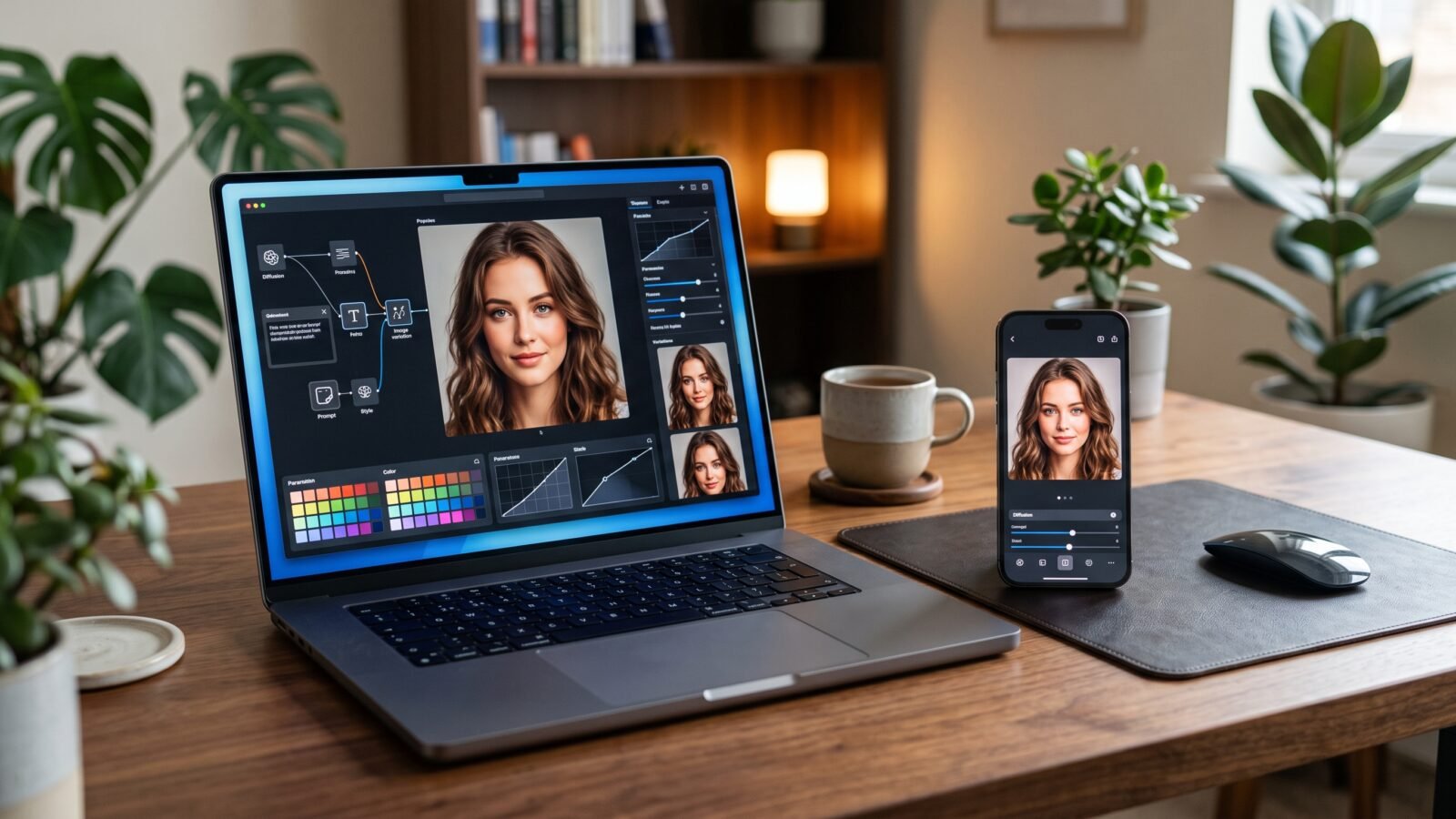
Creating a great AI photo is often less about writing a huge paragraph and more about giving Gemini clear instructions. A well-structured gemini ai photo prompt can tell the image generator what the subject should look like, where the scene takes place, how it should be lit, and what visual style you want.
Google’s current Gemini tools support both image generation and image editing, including editing uploaded images and combining multiple images into new creations. Google also says prompt quality improves when users clearly describe elements such as the subject, composition, action, location, style, and editing instructions.
That makes the right prompt especially useful for portraits, fashion photography, cinematic scenes, professional headshots, social media content, product photos, and creative artwork.
Below are practical Gemini AI photo prompt examples you can copy, customize, and experiment with.
What Is a Gemini AI Photo Prompt?
A Gemini AI photo prompt is a written instruction that tells Google’s Gemini image-generation system what image you want to create or how you want an existing image changed.
A prompt can describe the subject, appearance, pose, clothing, location, lighting, camera perspective, composition, mood, colors, style, and other visual details.
For example, instead of writing:
“Create a nice portrait.”
You could write:
“Create a realistic professional portrait of a young man wearing a dark tailored jacket, standing beside a modern office window, soft natural morning light, shallow depth of field, realistic skin texture, subtle background blur, editorial photography style, balanced composition.”
The second instruction gives Gemini much more visual information to work with.
Google’s current guidance recommends starting image prompts with action words such as “draw,” “generate,” or “create,” then describing the desired style and scene.
How to Write a Good Gemini AI Photo Prompt
A useful prompt doesn’t need to be complicated. It needs to be specific and organized.
A simple structure is:
Subject + Appearance + Pose + Clothing + Location + Lighting + Camera Style + Composition + Mood + Details + Quality
1. Subject
Tell Gemini exactly what should appear in the image.
Example:
“A young professional man”
instead of:
“A person”
2. Appearance
Describe important visual characteristics.
You might specify:
- Hair
- Clothing
- General age range
- Expression
- Accessories
- Physical features
3. Pose
Explain what the subject is doing.
Examples:
- Standing confidently
- Sitting at a café
- Looking toward the camera
- Walking through a city
- Holding a coffee cup
4. Location
Define the environment.
For example:
“A modern rooftop overlooking a city skyline at sunset.”
5. Lighting
Lighting can dramatically change the appearance of an image.
Try descriptions such as:
- Soft natural light
- Golden-hour sunlight
- Moody studio lighting
- Dramatic rim lighting
- Bright daylight
- Warm evening light
6. Composition and Camera Style
You can describe the visual framing you want.
Examples:
- Close-up portrait
- Full-body shot
- Medium shot
- Wide-angle composition
- Shallow depth of field
- Background softly blurred
7. Mood and Style
Tell Gemini how the finished image should feel.
Examples:
- Elegant
- Cinematic
- Luxury
- Minimalist
- Professional
- Dramatic
- Dreamlike
Best Gemini AI Photo Prompts
Here are original prompts designed for different use cases.
Realistic Portrait Prompt
“Create a photorealistic portrait of a young man standing outdoors in a modern urban environment, natural relaxed expression, realistic skin texture, neatly styled hair, casual premium clothing, soft evening sunlight, subtle background bokeh, natural colors, realistic facial details, professional photography composition.”
Professional Headshot Prompt
“Create a professional corporate headshot of a confident young professional wearing a dark navy blazer and clean white shirt, neutral modern office background, soft studio lighting, realistic skin texture, natural facial expression, sharp eyes, subtle background blur, polished editorial photography.”
Cinematic Portrait Prompt
“Generate a cinematic portrait of a young man standing on a rain-soaked city street at night, glowing street lights reflecting on the pavement, dramatic side lighting, realistic rain droplets, shallow depth of field, moody atmosphere, rich shadows, detailed skin texture, high-end movie cinematography.”
Luxury Fashion Prompt
“Create a high-end fashion editorial photograph of a stylish model wearing a sophisticated black outfit in a luxury modern interior, dramatic softbox lighting, elegant pose, detailed fabric texture, premium magazine photography aesthetic, balanced composition, realistic shadows and natural skin texture.”
Instagram Photo Prompt
“Create a stylish Instagram-ready portrait of a young creator in a modern café, fashionable casual outfit, warm natural window light, attractive background blur, relaxed confident pose, realistic photography, clean composition, vibrant but natural colors, premium lifestyle aesthetic.”
Travel Photo Prompt
“Create a realistic travel photograph of a young traveler standing on a scenic mountain viewpoint at sunrise, dramatic mountains in the background, soft golden light, natural clothing movement, realistic atmosphere, cinematic composition, detailed landscape, authentic travel photography style.”
Couple Photo Prompt
“Create a romantic photorealistic couple portrait in a beautiful outdoor garden during sunset, natural smiles, elegant casual clothing, warm golden-hour lighting, soft background bokeh, authentic interaction, realistic skin and hair details, cinematic photography style.”
Wedding Photo Prompt
“Create an elegant wedding portrait of a newly married couple standing in a beautifully decorated outdoor venue, soft evening lighting, sophisticated formal clothing, natural expressions, subtle background blur, realistic details, refined editorial wedding photography style.”
Professional LinkedIn Photo Prompt
“Create a polished professional profile portrait suitable for LinkedIn, confident but approachable expression, smart business clothing, clean neutral background, soft studio lighting, realistic skin texture, natural facial proportions, professional corporate photography composition.”
Product Photography Prompt
“Create a premium product photograph of a modern wireless earbud case placed on a clean minimalist desk, soft directional studio lighting, realistic material textures, subtle reflections, elegant shadows, professional commercial product photography, clean background, high visual clarity.”
Studio Photography Prompt
“Create a professional studio portrait with controlled soft lighting, a neutral textured backdrop, elegant clothing, natural facial expression, realistic skin details, subtle shadows, sharp subject focus, shallow depth of field, premium fashion photography aesthetic.”
Nature Photography Prompt
“Create a highly realistic photograph of a peaceful mountain lake surrounded by green forests, early morning mist floating above the water, soft sunrise light, natural reflections, detailed mountains, realistic atmospheric depth, professional landscape photography.”
Fantasy Photo Prompt
“Create a cinematic fantasy scene featuring a lone traveler standing beside an enormous ancient castle in a misty valley, dramatic mountains in the distance, glowing atmospheric light, detailed architecture, realistic textures, epic composition, sophisticated fantasy film aesthetic.”
3D Creative Art Prompt
“Create a polished 3D artistic scene featuring a futuristic floating city above the clouds, sleek architecture, glowing pathways, atmospheric lighting, realistic materials, cinematic perspective, detailed environment, premium digital-art presentation.”
Vintage Photography Prompt
“Create a realistic vintage-style street photograph inspired by classic 1970s photography, a stylish subject walking along an old city street, warm muted colors, subtle film grain, natural lighting, authentic clothing, analog photography aesthetic.”
Anime-Inspired Prompt
“Create an original anime-inspired portrait of a young character standing beneath glowing city signs at night, expressive eyes, detailed hair, dramatic lighting, atmospheric rain, vivid but balanced colors, cinematic composition and polished illustration quality.”
Movie-Style Prompt
“Create a cinematic film still of a mysterious traveler walking alone through a foggy modern city at dawn, dramatic backlighting, realistic environment, subtle atmospheric haze, detailed clothing, natural shadows, widescreen movie composition, high-end cinematography.”
Gemini AI Photo Prompt Template
A reusable prompt formula can make experimentation much easier:
Create a [type of image] featuring [subject]. Describe the subject’s [appearance], [clothing], and [pose]. Place them in [location/environment]. Use [lighting] with a [camera/composition style]. Create a [mood] atmosphere using [color/style]. Make the result [realistic/cinematic/editorial/etc.] with detailed textures and natural-looking proportions.
For example:
“Create a cinematic portrait featuring a young professional man wearing a black jacket. Place him on a modern city street during blue hour. Use soft directional lighting, shallow depth of field, a medium close-up composition, realistic skin texture, subtle reflections, natural colors, and a sophisticated editorial photography style.”
The advantage of this structure is that you can replace individual sections without rewriting everything.
How to Get More Realistic Results
The quality of an AI image prompt often depends on how clearly you communicate the visual goal.
Be Specific
Instead of saying:
“Make it beautiful.”
Try:
“Use soft golden-hour lighting, natural skin texture, subtle background blur, and realistic photographic proportions.”
Specific instructions give the model more useful information.
Describe the Lighting
Lighting helps define the atmosphere and depth of the image.
Compare:
“A person on a street.”
with:
“A person walking through a city street during golden hour with warm directional sunlight and long natural shadows.”
The second prompt gives Gemini a much stronger visual direction.
Describe the Composition
Tell Gemini whether you want a close-up, portrait, full-body photo, wide scene, or another composition.
Don’t Forget the Background
A good subject can still produce an unconvincing image when the environment is vague.
Specify what should be behind the subject and whether it should be sharply visible or softly blurred.
Refine Instead of Starting Over
One useful advantage of Gemini’s current image workflow is conversational editing. Google says users can modify generated images, upload images for editing, and combine multiple uploaded images into a new creation.
Instead of rewriting an entire prompt, try an instruction such as:
“Keep the person and clothing unchanged, but replace the background with a luxury hotel lobby and use warmer evening lighting.”
Common Gemini AI Photo Prompt Mistakes
Using Extremely Vague Prompts
“Make me a cool photo” gives very little visual direction.
Adding Contradictory Instructions
For example:
“Create a dark night scene with bright midday sunlight.”
Conflicting instructions can make the desired result less predictable.
Describing Too Many Unrelated Ideas
A prompt should have a clear visual objective.
Ignoring Composition
Even a detailed subject description may not produce the framing you expect if you never explain the shot.
Forgetting the Environment
The background is part of the photograph, not an afterthought.
Expecting the First Result to Be Perfect
Image generation is often iterative. Generate, inspect, and refine.
How to Improve a Gemini AI Image
A simple refinement workflow can save time.
Step 1: Start With the Main Concept
Describe the subject and the scene.
Step 2: Check the Composition
Decide whether the subject is framed correctly.
Step 3: Adjust Lighting
Ask for brighter, softer, warmer, cooler, or more dramatic lighting.
Step 4: Refine Clothing and Appearance
Tell Gemini exactly what needs changing without changing unrelated elements.
Step 5: Improve the Background
Replace distracting objects or move the subject to a more suitable environment.
Step 6: Refine the Mood
Words such as “cinematic,” “elegant,” “professional,” or “minimalist” can help communicate the intended direction.
Google’s prompting guidance specifically recommends describing elements such as subject, composition, action, location and style, while its newer image tools emphasize conversational editing and consistency across edits.
Gemini AI Photo Prompts for Social Media
For Instagram:
“Create a premium lifestyle portrait designed for Instagram, fashionable outfit, modern café environment, natural window light, shallow depth of field, confident relaxed expression, clean composition, realistic photography, sophisticated social-media aesthetic.”
For Facebook:
“Create a natural-looking social media portrait with a friendly expression, outdoor background, soft daylight, realistic skin texture, casual modern clothing and an authentic photography style.”
For TikTok:
“Create a visually striking vertical portrait for social media, stylish modern clothing, colorful urban background, dramatic but realistic lighting, expressive pose, sharp subject focus and cinematic visual style.”
For a YouTube thumbnail concept:
“Create a dramatic cinematic portrait of a surprised creator looking toward a glowing futuristic object, strong facial expression, high contrast lighting, clean background separation, realistic photography, clear focal subject and dynamic composition.”
Gemini AI Photo Prompt for Different Styles
| Style | Important Elements | Example Use |
|---|---|---|
| Photorealistic | Natural lighting, skin texture, realistic details | Portraits |
| Cinematic | Dramatic light, atmosphere, film-style framing | Movie scenes |
| Editorial | Fashion, controlled composition, polished lighting | Fashion photos |
| Luxury | Premium setting, elegant materials, refined lighting | Lifestyle |
| Minimalist | Clean background, simple composition | Product photography |
| Vintage | Film grain, muted colors, retro setting | Creative portraits |
| Street | Urban environment, natural action | Lifestyle |
| Studio | Controlled lighting, neutral background | Professional portraits |
| Fantasy | Unreal environments, atmospheric effects | Creative art |
| Futuristic | Advanced architecture, neon, modern materials | Sci-fi concepts |
Best Practices for a Better Gemini AI Photo Prompt
A strong prompt usually answers five basic questions:
Who or what is in the image?
Where is it happening?
What is happening?
How should it look?
What mood should it create?
For even more control, add camera perspective, lighting, composition and visual details.
The goal isn’t to make every prompt extremely long. The goal is to make it clear enough that Gemini understands the visual result you are trying to create.
Google’s current Gemini documentation says Nano Banana 2 is available for image generation in Gemini Apps, while availability can vary by language, country and account context. Google’s documentation also notes that image editing is subject to account and age restrictions.
Conclusion
A good gemini ai photo prompt doesn’t need to be complicated. It needs to be clear, specific and focused on the visual result you want. Start with the subject, add the environment, lighting, composition and style, then refine individual elements rather than rewriting everything.
Because Gemini’s image-generation tools continue to evolve, users should also check Google’s current documentation for availability, supported features and account-specific limitations before relying on a particular workflow.
The best way to learn is to take one of the prompts above, change the subject and setting, generate an image, and then improve it with specific follow-up instructions. That approach turns a basic gemini ai photo prompt into a repeatable workflow for creating better AI images.
Frequently Asked Questions
What is a Gemini AI photo prompt?
A Gemini AI photo prompt is a written instruction used to tell Gemini what image to generate or how to modify an existing image. A prompt can describe the subject, environment, lighting, pose, composition, style and other visual details.
How do I write a Gemini AI photo prompt?
Start by describing the subject, then add appearance, location, pose, lighting, composition, style and mood. Be specific about the most important visual details and refine the result with follow-up instructions.
Can Gemini create realistic photos?
Yes. Google’s current Gemini image-generation tools support photorealistic image generation, although exact results vary depending on the prompt, tool availability and the specific image-generation model being used.
Can I use my own photo with Gemini?
Google’s Gemini Apps documentation says users can upload images and ask Gemini to edit them. Multiple images can also be combined into a new creation. Availability can vary by account, country and other eligibility requirements.
How do I make Gemini images look more realistic?
Use specific descriptions for lighting, composition, materials, facial details, environment and camera perspective. Avoid vague instructions and refine individual elements after generating the first image.
What details should I include in an AI photo prompt?
Useful details include the subject, appearance, pose, clothing, location, lighting, composition, camera perspective, mood, colors and visual style.
How do I change clothing in a Gemini image?
Upload or select the image and clearly describe the clothing change while asking Gemini to preserve elements that should remain unchanged. Google’s current image-editing tools support modifications to uploaded and generated images.
How do I create cinematic photos with Gemini?
Describe cinematic lighting, camera perspective, atmosphere, color treatment, depth of field, environment and composition. For example, specify “cinematic film still,” “dramatic backlighting,” and “shallow depth of field.”
Can Gemini generate professional profile pictures?
Yes, you can use a prompt that specifies professional clothing, a neutral or office background, natural expression, studio lighting and polished portrait composition.
What makes an AI photo prompt effective?
An effective prompt provides clear visual information without unnecessary contradictions. It identifies the main subject, environment, visual style and important details, then uses iterative editing to refine the result.