
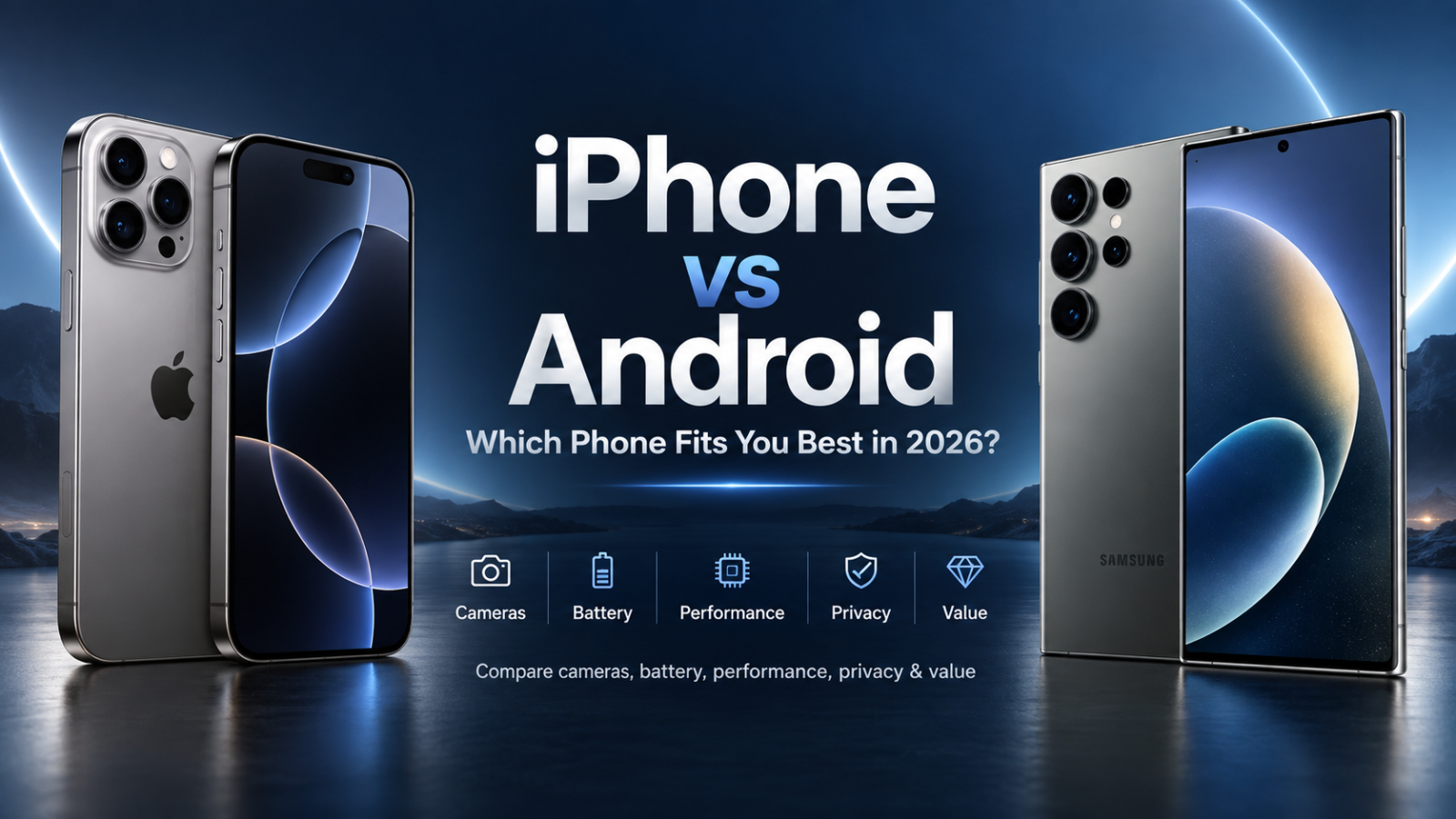
iPhone vs Android: Quick Verdict
Choose iPhone if you value long software support, consistent cameras and video, strong resale value, and seamless integration with Apple Watch, Mac and iPad. Choose Android if you want more hardware choice, deeper customization, faster charging, wider price ranges and greater control over files, apps and default services.
Neither platform is universally better. An iPhone can be the smarter purchase for someone already invested in Apple products, while a Samsung Galaxy, Google Pixel or another Android phone may be substantially better for someone who values customization, zoom cameras, fast charging, foldable hardware or a particular price point.
iPhone vs Android Comparison at a Glance
| Category | iPhone | Android | General Edge |
|---|---|---|---|
| Hardware choice | Small, tightly controlled lineup | Huge choice across brands, sizes and form factors | Android |
| Build quality | Consistently premium | Ranges from basic to ultra-premium | Tie at flagship level |
| Ease of use | Consistent and predictable | Highly polished but varies by manufacturer | iPhone for simplicity |
| Customization | Moderate and improving | Extensive | Android |
| Camera photos | Very consistent | Top models can excel in zoom and computational photography | Depends on model |
| Camera video | Excellent consistency and app integration | Flagships are increasingly competitive | iPhone overall |
| Performance | Excellent efficiency and app optimization | Excellent flagship performance with more chipset variety | Tie for normal users |
| Charging | Good but relatively conservative | Ranges from conventional to extremely fast | Android |
| Software support | Historically long support | Up to seven years on leading current models | Tie among top models |
| Ecosystem | Exceptionally integrated with Apple products | More flexible across brands and Windows | Depends on your devices |
| Budget options | Limited | Extensive | Android |
| Resale value | Historically strong | Improving, but varies significantly by brand | Usually iPhone |
| AI features | Deeply integrated on compatible newer devices | Rapid innovation through Google, Samsung and other manufacturers | Depends on feature and model |
Hardware and Build Quality
Apple Offers a Controlled Hardware Lineup
Apple designs both the iPhone hardware and iOS, allowing it to build devices around a relatively small number of hardware configurations. That creates consistency in materials, displays, cameras, processors, accessories and software behavior.
Current iPhones generally occupy the upper mid-range and premium segments. Older generations, trade-ins and refurbished devices can reduce the entry price, but Apple does not compete across every budget category in the way Android manufacturers do.
This narrower lineup can make purchasing easier. Instead of comparing dozens of manufacturers, software interfaces and update policies, an iPhone buyer is mainly choosing between screen size, camera configuration, storage capacity and performance tier.
Android Offers Far More Hardware Diversity
Android is an operating-system platform rather than a single smartphone brand. Samsung, Google, Xiaomi, OnePlus, Motorola, Honor, Nothing and many other manufacturers build Android devices.
That produces dramatically more choice. Android buyers can find inexpensive basic phones, gaming phones, camera-focused flagships, compact devices, large-screen models and foldable phones.
Hardware quality therefore cannot be judged simply by saying “Android.” A low-cost Android phone should not be compared directly with a flagship iPhone. A more meaningful comparison is an iPhone against an Android device in the same price category.
iPhone 18 Pro Max vs 17 Pro Max
Which Has Better Build Quality?
At flagship level, both ecosystems offer phones with premium metals, high-strength glass, excellent OLED displays, sophisticated haptics and strong water and dust resistance. Differences often come down to design preferences rather than basic manufacturing quality.
Android gains an advantage in variety. Buyers who want unusual hardware features, folding screens, stylus support, very large batteries or specialized gaming controls have considerably more options.
Operating System and Interface: iOS vs Android
iOS Prioritizes Consistency
Apple controls the operating system, hardware platform and distribution of system updates. As a result, iOS tends to behave consistently across supported iPhones.
Menus, gestures, privacy controls and core applications are largely standardized. Developers also have fewer hardware configurations to optimize for, which can help maintain consistent application behavior.
The trade-off is that Apple decides more of the experience for the user. Some interface elements, system behaviors and default interactions offer less flexibility than comparable Android implementations.
Android Prioritizes Choice
Android provides a common operating-system foundation, but manufacturers customize it extensively. A Google Pixel, Samsung Galaxy and Xiaomi phone can therefore feel different even when they use the same underlying version of Android.
Google’s Pixel interface tends to emphasize Google’s interpretation of Android, while Samsung adds its One UI design, multitasking tools and ecosystem features. Other manufacturers apply their own visual styles and functionality.
This diversity is useful for buyers who want choice, but it also means that Android advice cannot always be generalized across every manufacturer.
Which Is Smoother?
Modern premium phones from both platforms are extremely responsive. Display refresh rate, animation design, processor performance, thermal management and software optimization influence perceived smoothness more than the operating-system logo alone.
For everyday tasks such as messaging, navigation, banking, social media and browsing, a modern flagship from either platform should feel fast. Differences become more relevant in demanding gaming, video editing, multitasking or long-term use.
Customization and Flexibility
Android Still Gives Users More Control
Customization remains one of Android’s strongest advantages. Depending on the manufacturer, users can change launchers, icon packs, home-screen layouts, keyboards, widgets, default applications, automation behavior and numerous interface elements.
Third-party launchers can substantially change how the home screen and app drawer work without replacing the operating system.
Android also generally exposes its file system more directly, making it easier to move downloaded files between folders, attach them to applications and connect the phone to computers.
iPhone Customization Has Improved
Modern versions of iOS offer significantly more customization than early iPhones. Users can customize home screens, lock screens, widgets, Control Center elements and other interface components.
Apple has also expanded support for changing default applications and allows more flexibility in how apps and controls are arranged.
Nevertheless, iOS remains more controlled than Android. Users who enjoy changing launchers, deeply modifying interface behavior or managing files similarly to a conventional computer will generally find Android more flexible.
What About Sideloading Apps?
Android has traditionally allowed applications to be installed outside the Google Play Store. This gives users and developers substantial freedom, but downloading unknown APK files can also increase security risk.
Apple maintains tighter controls over software distribution, although alternative distribution options have expanded in certain regulated markets. The overall iPhone environment remains more restrictive than Android.
Sideloading itself is not automatically dangerous. The source of the application, its permissions and the user’s security practices matter considerably.
Ecosystem Integration
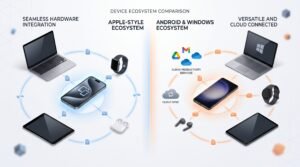 The Apple Ecosystem
The strongest argument for an iPhone may not be the iPhone itself. It may be everything connected to it.
An iPhone works particularly closely with products and services such as Mac, Apple Watch, iPad, AirPods, iCloud, AirDrop, Continuity and Apple’s messaging and calling services.
Users can move between devices with relatively little setup. Photos, passwords, browser activity, files, calls and other information can synchronize across Apple products.
Apple Watch is especially important because it is designed around the iPhone. Someone deeply invested in Apple hardware may lose considerable convenience by switching only the phone to Android.
The Android Ecosystem
Android takes a different approach. Its ecosystem is less centralized because Google does not manufacture every Android phone, computer, watch and accessory.
The advantage is broader compatibility. Google services operate on numerous platforms, Wear OS supports smartwatches from multiple manufacturers, and Android integrates increasingly closely with Windows.
Quick Share, for example, can transfer files between Android phones and compatible Windows computers. Microsoft’s Phone Link also brings phone notifications, messages and other functionality to Windows PCs, with capabilities varying by Android device.
Google Workspace, Google Photos, Chrome, Gmail and Drive are also designed to work across Android, iOS, Windows, macOS and the web.
Which Ecosystem Is Better?
Apple provides the more tightly integrated ecosystem. Android provides the more flexible ecosystem.
If most of your devices already come from Apple, iPhone normally makes the most sense. If you mix Windows computers, Google services and hardware from several brands, Android can be easier to integrate without becoming dependent on one manufacturer.
Camera Systems and Computational Photography
 There Is No Universal Camera Winner
Camera comparisons are more complicated than simply counting megapixels. Sensor size, lens quality, autofocus, image processing, HDR algorithms, stabilization and computational photography all influence the final result.
The best camera can also change depending on whether you photograph children, landscapes, pets, concerts, documents, portraits or distant subjects.
Where the iPhone Excels
iPhones are known for consistency between lenses, predictable exposure, strong autofocus and excellent video recording. Apple’s control over hardware and software also helps third-party camera and social-media applications interact consistently with the camera system.
For creators who regularly shoot video, move between multiple lenses during recording or publish directly to social platforms, the iPhone remains an especially strong option.
Where Android Flagships Excel
Leading Android phones are highly competitive in still photography and frequently push camera hardware more aggressively.
Google’s Pixel phones emphasize computational photography. Samsung’s premium phones traditionally emphasize versatility and long-range zoom, while manufacturers such as Xiaomi, Honor and others compete through large sensors, advanced telephoto systems and specialized imaging partnerships.
This makes Android particularly attractive to buyers who prioritize a specific photographic capability such as long-range zoom or a particular portrait style.
Low-Light Photography
Both platforms use multi-frame processing to brighten shadows and reduce noise in low light. The result depends heavily on the particular device.
One phone may preserve highlights better, another may reveal more shadow detail, and another may produce a more visually dramatic image. Preferences regarding skin tones and color processing are partly subjective.
Best Camera Choice
- For video: iPhone remains one of the safest choices.
- For long-range zoom: premium Android flagships often provide more hardware options.
- For computational still photography: Google Pixel phones remain major competitors.
- For predictable camera behavior across lenses: iPhone is particularly strong.
- For maximum camera hardware choice: Android wins because several manufacturers compete independently.
No platform wins every camera test. Compare the specific phones you intend to buy using the same lens, resolution, HDR settings and lighting conditions rather than relying on a platform-wide camera ranking.
Performance and Silicon
Apple A-Series Processors
iPhones use Apple’s A-series processors. Apple’s ability to design the silicon, operating system and many core frameworks together has historically produced excellent CPU performance, energy efficiency and long-term responsiveness.
Apple’s M-series chips belong primarily to products such as Macs and higher-end iPads rather than iPhones, although the shared architecture reinforces Apple’s broader hardware and software ecosystem.
Snapdragon, Tensor and Other Android Chips
Android manufacturers have more processor choices. Qualcomm’s premium Snapdragon platforms power many flagship phones, while Google develops Tensor processors for Pixel devices. Samsung and MediaTek also produce chips used across different Android product categories and markets.
Qualcomm-powered Android flagships can offer exceptional CPU and GPU performance. Google’s Tensor strategy places substantial emphasis on computational photography, machine learning and Google-specific AI experiences rather than simply chasing benchmark leadership.
Do Benchmarks Matter?
For most users, not as much as they once did.
Messaging, web browsing, streaming, photography and ordinary applications rarely stress a modern flagship processor. Performance differences matter more for high-frame-rate gaming, video rendering, emulation, local AI workloads and other sustained tasks.
Thermal management also matters. A phone that achieves a very high short benchmark score but quickly reduces performance under heat may not be faster during a long gaming session.
Battery Life, Charging Speeds and Charging Standards
Battery Life Depends on the Phone, Not Just the Platform
Battery capacity alone does not determine runtime. Display efficiency, modem behavior, processor efficiency, background processes, signal strength, screen brightness and software optimization all matter.
Large iPhone models frequently achieve excellent endurance despite batteries that may not be the largest in their class because Apple controls both hardware and software.
Android gives buyers considerably more battery choice. Some models emphasize thin designs, while others use very large batteries aimed at multi-day or heavy-duty use.
Android Usually Wins on Charging Speed
Charging speed is one of the clearest areas where Android hardware diversity matters. Samsung and Google tend to take relatively conservative approaches, while manufacturers such as OnePlus, Xiaomi and several other Android brands sell devices capable of much higher wired charging rates.
That can make a meaningful difference for users who regularly need to recharge quickly during the day.
USB-C, MagSafe and Qi2
Modern iPhones use USB-C, reducing one of the historical cable differences between the platforms.
Apple’s MagSafe system provides magnetic alignment for compatible wireless chargers and accessories. Current iPhones also support the Qi2 wireless charging ecosystem, while Qi2 adoption continues to expand beyond Apple products.
Android USB-C capabilities vary substantially. Some devices support very high charging speeds and fast data transfer, while others use basic USB implementations despite sharing the same physical connector.
Does Fast Charging Damage the Battery?
All lithium-ion batteries chemically age. Heat, charge cycles, storage at very high states of charge and extreme temperatures all contribute to degradation.
Fast charging can create additional heat, but modern phones use charging controllers, temperature monitoring and variable charging rates to manage battery stress. A phone’s actual charging implementation matters more than simply looking at the maximum wattage printed on the specification sheet.
For long ownership periods, features such as optimized charging, charge limits and easy battery replacement can be as important as maximum charging speed.
Security, Privacy and Software Updates
Is iPhone More Secure Than Android?
Both iOS and modern Android use sophisticated security architecture including application sandboxing, encryption, permission controls, secure boot processes and hardware-backed security features.
The largest structural difference is distribution and control.
Apple controls iOS, supported iPhone hardware and its primary software marketplace. This reduces fragmentation and limits some routes through which malicious applications can reach users.
Android allows more flexibility, including broader sideloading. That flexibility can increase exposure when users install software from untrusted sources, but it does not make normal Android use inherently insecure. Google Play Protect and manufacturer security systems provide additional protection.
Privacy
Apple makes privacy a major part of its platform positioning, with controls governing tracking, application permissions, location, photos, microphones and other sensitive resources.
Android also provides granular permission controls, privacy dashboards, indicators for camera and microphone access and restrictions on background activity.
The more meaningful privacy question is often not simply iPhone versus Android but which applications and cloud services you use, which permissions you grant and how much information you choose to synchronize.
How Long Do iPhones Receive Updates?
Apple does not advertise a simple fixed support period equivalent to some Android manufacturers’ seven-year promises.
However, Apple’s actual support history remains strong. In 2026, iOS 26 continues to support the iPhone 11 generation introduced in 2019, demonstrating a software life extending well beyond a typical two- or three-year ownership cycle.
How Long Do Android Phones Receive Updates?
Android support varies by manufacturer and model, so buyers should never assume that every Android phone receives the same update period.
Google promises seven years of operating-system and security updates for Pixel 8 and later devices. Samsung’s current flagship support policy also reaches seven years on qualifying devices, with the Galaxy S26 generation receiving seven generations of operating-system upgrades and seven years of security updates.
Other Android manufacturers and lower-priced devices may receive shorter support periods.
| Platform / Example | Current Support Position |
|---|---|
| Apple iPhone | No single fixed public promise across every model; historically long support, with iPhone 11 still compatible with iOS 26 in 2026 |
| Google Pixel 8 and later | Seven years of OS and security updates from initial availability |
| Samsung Galaxy S26 series | Seven OS generations and seven years of security updates |
| Other Android phones | Varies significantly by manufacturer, model and price tier |
AI Features: Apple Intelligence vs Android AI
AI Is Becoming a Platform-Level Buying Factor
Artificial intelligence is increasingly built into photography, voice interaction, text editing, search, translation, notification management and content creation.
However, AI comparisons require caution because availability can depend on phone model, processor, language, region, account type and cloud connectivity.
AI on iPhone
Apple integrates supported AI capabilities through Apple Intelligence and other system-level features on compatible devices. Apple’s strategy emphasizes integration with built-in applications, personal context and privacy-conscious processing where possible.
The main limitation is hardware compatibility: older iPhones do not necessarily receive every AI feature merely because they can run the latest version of iOS.
AI on Android
Android’s AI landscape is broader. Google’s Gemini technologies are deeply integrated with its own services and Pixel devices, while Samsung offers Galaxy AI functionality alongside Google-powered features. Other manufacturers are developing their own AI tools.
This creates rapid innovation, but it can also make the experience less predictable because features vary among brands and regions.
Who Wins on AI?
There is no permanent winner. AI capabilities are evolving too quickly and are often distributed through software updates rather than annual hardware launches.
Buyers should compare specific tasks they care about—such as live translation, call transcription, photo editing, writing assistance or voice interaction—rather than choosing a phone because it carries an “AI phone” label.
Pricing and Budget Options
iPhone Pricing
Apple deliberately maintains a relatively narrow device portfolio. This makes the lineup easier to understand, but it limits choices at the lowest price levels.
Consumers seeking a cheaper iPhone often need to consider Apple’s less expensive current models, previous generations, carrier promotions or refurbished devices.
Android Pricing
Android covers almost every smartphone price segment.
A buyer may choose an inexpensive entry-level phone, a value-focused mid-ranger, a conventional flagship, a camera-focused ultra-premium device or a foldable costing substantially more than a standard flagship.
The strongest value proposition often appears in the Android mid-range, where competition among manufacturers can provide OLED displays, high refresh rates, large batteries and capable cameras at prices well below premium flagships.
Which Offers Better Value?
Android offers more opportunities to maximize hardware specifications per dollar. iPhone value is more closely connected to software longevity, ecosystem integration, accessory availability and resale demand.
Consequently, “value” should be measured over the intended ownership period rather than only at checkout.
Resale Value and Long-Term Cost
iPhones Have Historically Retained Value Well
Strong demand in the second-hand market, long software support and a relatively small number of models have historically helped iPhones maintain good resale values.
That does not mean every iPhone depreciates slowly. Storage configuration, model popularity, condition, battery health, launch timing and local demand can change resale value considerably.
Android Resale Varies More by Brand
Because Android covers hundreds of devices, its resale performance is much less uniform.
Premium Samsung and Google models generally have much stronger resale demand than unknown or inexpensive Android brands, but historical data has often shown flagship iPhones retaining more of their original value than comparable Android devices.
Recent data also suggests that the gap is not fixed. Samsung’s high-end resale performance has improved in several recent generations.
Real-World Depreciation Example
One 2026 SellCell analysis of one-year resale values illustrates why buyers should compare individual models rather than stereotypes. In its sample, a standard iPhone 16 retained about 59.6% of its original price after a comparable 12-month period, while an iPhone 16e retained about 48.6%, a Pixel 8a about 47.7% and a Galaxy S24 FE about 36.3%.
Those figures represent one resale dataset and should not be treated as universal depreciation rates. Local market prices, trade-in promotions, storage capacity and condition can produce different results.
Calculate Total Cost of Ownership
A better buying formula is:
Total ownership cost = purchase price + accessories + repairs + ecosystem costs − eventual resale value.
A phone that costs more initially can sometimes cost less over four years if it lasts longer and sells for significantly more at the end. Conversely, a discounted Android flagship may provide better value if its initial purchase price is substantially lower.
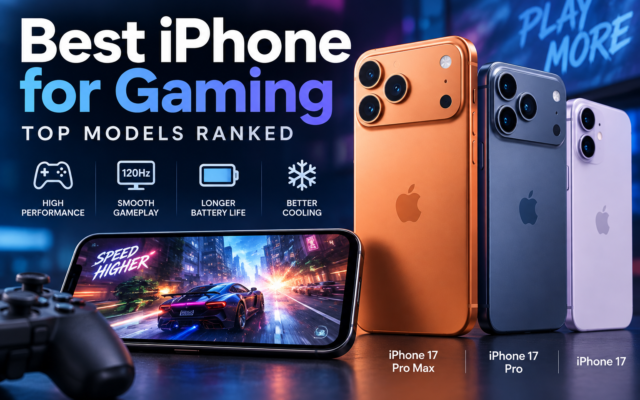
iPhone vs Android for Gaming
Both platforms are capable gaming systems. Modern iPhones combine powerful processors with a relatively standardized hardware environment, which can simplify optimization for game developers.
Android provides far more gaming-oriented hardware. Some phones offer advanced cooling, extremely high refresh-rate displays, large batteries, gaming triggers and aggressive performance modes.
Game availability should also be checked individually. A user heavily invested in one platform may have purchased games, subscriptions and cloud saves that do not automatically transfer to the other ecosystem.
iPhone vs Android for Work and Productivity
iPhone is particularly compelling in organizations already using Macs, iPads and Apple services. Continuity between Apple devices can make calls, files, passwords and communications flow naturally between screens.
Android can be especially attractive for Windows users. File management is generally more flexible, Windows integration is strong, and Google’s productivity applications work across virtually every major platform.
Samsung’s higher-end devices also provide advanced multitasking and desktop-style functionality that can appeal to power users.
The better professional platform therefore depends more on your existing computer and software environment than on raw phone performance.
Switching from Android to iPhone
Switching platforms is easier than it used to be, but it still requires preparation.
- Back up important photos, videos and documents.
- Confirm that your contacts are synchronized with an account you can access on the new phone.
- Review messaging and WhatsApp transfer requirements before resetting the old device.
- Check whether paid applications must be purchased again.
- Move authenticator accounts and two-factor authentication credentials carefully.
- Confirm that your smartwatch and other accessories support the new platform.
- Sign into banking and security-sensitive applications before erasing your previous phone.
- Keep the old device until you have verified that all important data has transferred successfully.
Apple provides its Move to iOS migration system to simplify transferring supported information from Android.
Switching from iPhone to Android
Most important personal data can also be moved from iPhone to Android, but users should pay particular attention to Apple-specific services.
- Back up important iCloud content.
- Transfer photos, contacts and calendars to the required Google account or new device.
- Follow the new manufacturer’s migration process.
- Verify WhatsApp or other encrypted-message migration separately.
- Move authentication applications before wiping the iPhone.
- Check Apple Watch compatibility because Apple Watch is designed around iPhone.
- Review subscriptions billed through your Apple account.
- Disable platform-specific messaging services where required before completing the switch.
Users who rely heavily on Apple Watch, AirDrop, iCloud-specific workflows or Mac continuity should calculate the inconvenience and potential accessory replacement costs before switching.
Choose an iPhone If You…
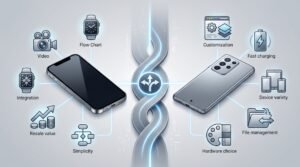
- Already own a Mac, Apple Watch, iPad or several other Apple devices.
- Want a consistent operating-system experience with minimal manufacturer variation.
- Record substantial amounts of smartphone video.
- Value predictable camera behavior across applications.
- Plan to keep the phone for several years.
- Care strongly about second-hand resale demand.
- Prefer a relatively controlled software environment.
- Do not want to compare dozens of smartphone brands and software policies.
- Frequently share files or services with other iPhone users.
Choose an Android Phone If You…
- Want to choose from many brands, designs and price levels.
- Want deep interface customization.
- Prefer greater control over files and default applications.
- Want exceptionally fast wired charging.
- Need specialized hardware such as a foldable display, stylus or gaming controls.
- Prioritize long-range camera zoom or other specialized camera hardware.
- Use a Windows computer and prefer broader cross-platform integration.
- Want strong specifications without necessarily paying flagship prices.
- Prefer to install software from sources outside the primary app store when appropriate.
So, Is iPhone or Android Better?
iPhone is generally better for users who prioritize a tightly integrated ecosystem, consistent software, video recording, long ownership and predictable resale demand. Android is generally better for users who prioritize choice, customization, charging speed, specialized hardware, flexible file management and a wider range of prices.
The difference between the platforms is smaller than many online debates suggest. A premium iPhone and a premium Android flagship are both exceptionally capable computers, cameras and communication devices.
The biggest differences increasingly concern philosophy rather than basic capability: Apple provides a controlled ecosystem in which hardware and software are designed together, while Android allows multiple manufacturers to compete and experiment on a common platform.
For that reason, the smartest decision is not simply “iPhone or Android?” It is:
Which specific phone, ecosystem and ownership model best fit the way I actually use technology?
Frequently Asked Questions About iPhone vs Android
Is iPhone better than Android?
Neither is better for everyone. iPhone is generally stronger for tightly integrated Apple ecosystems, consistent software behavior, video recording and resale demand. Android provides more hardware choice, deeper customization, broader pricing options, faster charging on many models and greater file-management flexibility.
Is Android or iPhone better for security?
Both platforms use strong modern security protections including encryption, application sandboxing and permission controls. Apple’s more controlled hardware and software ecosystem reduces some forms of fragmentation, while Android combines its security architecture with protections such as Google Play Protect. Security also depends heavily on software updates, app sources and user behavior.
Do iPhones last longer than Android phones?
iPhones have a strong history of long software support, but premium Android support has improved considerably. Google provides seven years of updates for Pixel 8 and later models, while Samsung provides seven years of support on qualifying current flagships. Longevity now depends more on the exact model than simply the operating system.
Which has a better camera, iPhone or Android?
There is no universal winner. iPhones are particularly strong for video, consistency and predictable performance between lenses. Premium Android phones can excel in computational photography, high-resolution sensors and long-range zoom. Compare individual phones rather than treating all Android cameras as one category.
Which has better battery life, iPhone or Android?
Battery life depends on the specific device. Large iPhones can offer excellent endurance through efficient hardware and software integration, while Android manufacturers offer a much wider range of battery capacities. Android also provides more phones with extremely fast wired charging.
Is switching from Android to iPhone difficult?
For most users, no. Contacts, photos, calendars, messages and other supported information can be transferred using migration tools. Paid apps, authenticator accounts, banking applications, subscriptions, smartwatches and some platform-specific services require additional attention.
Is it difficult to switch from iPhone to Android?
Most personal data can be transferred to Android using Google’s or the phone manufacturer’s migration tools. The biggest complications occur when a user depends heavily on Apple-specific products and services such as Apple Watch, AirDrop, iCloud workflows or previously purchased applications.
Which is better for resale value, iPhone or Android?
iPhones have historically retained value better than most Android phones, although resale performance varies by model and Android flagship values are improving. Purchase price, storage, condition, age and local market demand should all be considered when estimating depreciation.
Which is better for customization?
Android remains the stronger platform for customization. It supports extensive home-screen modification, launchers, widgets, default-app choices, file management and manufacturer-specific controls. iOS customization has improved significantly but remains more controlled.
oved, but a household built heavily around Apple services may make an iPhone more convenient.