

Studying can become difficult when a textbook uses confusing language, a teacher moves quickly, or you do not know where to begin. You may spend hours reading notes but still feel unsure about the topic.
ChatGPT can help by acting as an interactive AI study assistant. It can explain difficult concepts, create practice questions, summarize long notes, build study plans, and give feedback on your answers. However, using it effectively requires more than asking, Give me the answer.
The best way to use ChatGPT is to treat it like a tutor not a shortcut.
In this guide, you will learn how to use ChatGPT for studying effectively, discover useful ChatGPT study prompts, and understand how to use AI responsibly for homework, revision, and exam preparation.
Important: ChatGPT can make mistakes or provide incomplete information. Always verify important facts with your textbook, teacher, course materials, or reliable sources.
What Does It Mean to Study Effectively With ChatGPT?
Using ChatGPT effectively means using it to improve your understanding rather than allowing it to complete all your work.
For example, imagine you are studying photosynthesis. You could ask:
Explain photosynthesis in simple English.
That may give you a useful explanation. However, you can learn more by continuing with questions such as,
Ask me five questions about photosynthesis.
Then answer the questions yourself. After that, ask
Check my answers and explain only the mistakes.
This method turns ChatGPT into an active learning tool.
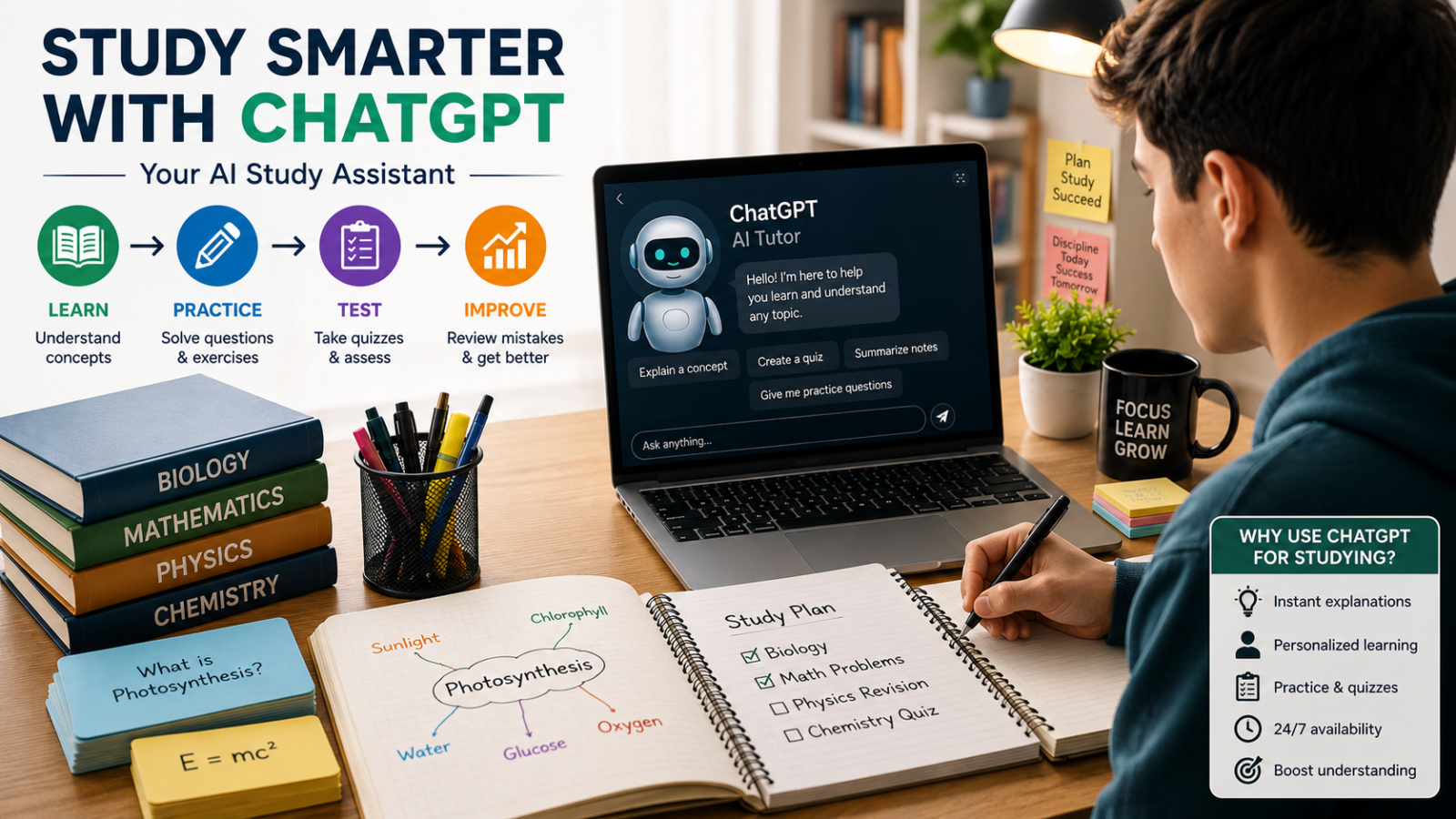
A productive study cycle looks like this:
| Step | What You Do |
| Learn | Ask ChatGPT to explain a topic |
| Practice | Solve questions without help |
| Check | Compare your answers |
| Improve | Review mistakes |
| Test | Take a quiz without hints |
This approach encourages active thinking instead of passive reading.
Why Students Use ChatGPT for Learning
ChatGPT can support students in many ways. It is available when a teacher, tutor, or classmate may not be available.
Students commonly use ChatGPT to:
- Explain difficult topics in simple language
- Summarize study notes
- Create quizzes and practice tests
- Generate flashcards
- Make revision plans
- Improve writing
- Practice languages
- Solve problems step by step
- Review homework
- Find weaknesses before an exam
OpenAI’s Study Mode is designed to support deeper learning through guided questions, step by step explanations, and checks for understanding. It can also work with uploaded learning materials, such as images and PDFs.
However, ChatGPT works best when the student remains actively involved.
How to Use ChatGPT for Studying Step by Step
Step 1: Set a Clear Learning Goal
Before opening ChatGPT, decide what you want to achieve.
Avoid vague prompts such as,
Teach me biology.
Use a specific goal instead:
Help me understand the human digestive system for a Grade 9 science exam.
A clear goal helps ChatGPT provide a more useful response.
You can include
- Your grade or education level
- The subject
- The topic
- Your current knowledge
- The type of help you need
For example:
I am a beginner studying basic economics. Explain supply and demand using simple examples. Ask me questions after each section.
Step 2: Ask for an Explanation at Your Level
ChatGPT can adjust the difficulty of an explanation.
Try,
Explain Newton’s laws of motion as if I am a Grade 8 student. Use simple examples from daily life.
If the explanation is still difficult, say
Explain it using easier words
If it is too simple, say
Explain the same topic at a college level.
This makes ChatGPT useful for students with different learning needs.
Step 3: Learn in Small Sections
Do not ask ChatGPT to explain an entire textbook chapter in one response.
Instead, divide the topic into smaller parts.
For example:
- What is photosynthesis?
- Why do plants need sunlight?
- What is the role of chlorophyll?
- What are the inputs and outputs?
- How does photosynthesis affect life on Earth?
Learning one section at a time can make complex subjects easier to understand.
Step 4: Explain the Topic in Your Own Words
After reading an explanation, close the answer or look away from the screen.
Then write:
Photosynthesis is the process by which.
Explain the concept using your own words.
Next, ask:
Here is my explanation. Check whether I understand the topic correctly. Do not rewrite it unless necessary.
This helps you identify gaps in your knowledge.
Step 5: Practice Without Looking at the Answer
Practice is one of the most valuable ways to study with ChatGPT.
Ask.
Create 10 practice questions about this topic. Do not provide the answers yet.
Answer the questions yourself.
Then paste your answers and ask:
Check my answers. Show which answers are correct and explain my mistakes.
This is usually more helpful than asking ChatGPT to solve everything immediately.
Best Ways to Use ChatGPT as an AI Study Assistant
1. Simplify Difficult Concepts
Some textbooks use technical language that is difficult for beginners.
Prompt.
Explain the theory of evolution in simple English. Use everyday examples and avoid difficult scientific terms.
You can also request:
- A short explanation
- A detailed explanation
- A real world example
- An analogy
- A visual description
2. Create Study Summaries
ChatGPT can turn long notes into shorter revision material.
Prompt.
Summarize these notes into important points. Keep all key definitions, dates, formulas, and examples.
Paste your notes after the prompt.
Do not rely on the summary without checking it. Compare important details with the original material.
3. Generate Flashcards
Flashcards can help you review definitions, dates, vocabulary, formulas, and key facts.
Prompt.
Create 20 flashcards from this chapter. Put the question on one side and the answer on the other.
For better practice, ask
Make the flashcards challenging. Include common mistakes students make.
4. Create Practice Quizzes
Prompt.
Create a 15 question quiz about the solar system. Include multiple choice, short answer, and true or false questions. Do not show answers until I finish.
After completing the quiz, ask ChatGPT to grade your work and explain the mistakes.
5. Build a Study Plan
ChatGPT can help organize your time.
Prompt.
I have a biology exam in 14 days. I can study for 90 minutes each day. Create a realistic study plan with revision and practice tests.
Include your available time and exam date for a more useful plan.
6. Improve Written Answers
You can use ChatGPT to review your writing without asking it to write everything for you.
Prompt:
Review my answer for grammar, clarity, and structure. Keep my original ideas and explain the changes.
This can help you learn how to improve future assignments.
7. Practice With a Tutor Style Conversation
Ask ChatGPT to guide you instead of giving direct answers.
Prompt.
Act as a patient tutor. Ask me one question at a time and give hints instead of the final answer.
This approach supports independent thinking.
Best ChatGPT Study Prompts for Students
Here are practical prompts you can copy and use.
| Study Task | ChatGPT Prompt |
| Learn a topic | Explain [topic] in simple language for a [grade level] student. |
| Understand deeply | Teach me [topic] step by step. Ask a question after each section. |
| Make notes | Turn these notes into clear revision points. |
| Create flashcards | Create 20 question and answer flashcards from this topic. |
| Take a quiz | Test me with 15 questions. Do not reveal answers until I finish. |
| Check knowledge | Ask me questions that reveal whether I truly understand [topic]. |
| Review mistakes | Check my answers and explain why each mistake is incorrect. |
| Make a study plan | Create a 7 day study schedule for [subject]. |
| Solve a problem | cutGuide me through this problem without giving the final answer immediately. |
| Improve writing | Review this paragraph for clarity and grammar while keeping my meaning. |
| Prepare for an exam | Create a practice exam based on these topics. |
| Learn vocabulary | Teach me these words using definitions, examples, and a short quiz. |
The best ChatGPT prompts provide context. Tell the AI what you are studying, your level, and the type of help you need.
How to Use ChatGPT for Homework Without Cheating
ChatGPT can help with homework, but the way you use it matters.
A weak approach is:
Complete my homework.
This may produce an answer without helping you understand the topic.
A stronger approach is:
Help me understand this homework question. Ask what I think first, then give hints. Do not write the final answer unless I request it.
Use ChatGPT for:
- Understanding instructions
- Explaining concepts
- Brainstorming ideas
- Checking your work
- Finding grammar mistakes
- Practicing similar questions
Avoid:
- Submitting AI generated work as your own
- Copying answers without understanding them
- Using AI when your teacher does not allow it
- Creating fake sources or citations
- Sharing private information
School and university rules about AI can differ. Always check your teacher’s or institution’s policy before using AI for graded work. Responsible AI use should support human learning rather than replace it.
How to Use ChatGPT for Exam Preparation
ChatGPT can be useful during exam revision because it can create personalized practice.
Create an Exam Checklist
Prompt:
I have an exam on these topics: [list topics]. Create a revision checklist and arrange the topics from easiest to hardest.
Identify Weak Areas
Ask.
Give me a diagnostic quiz on algebra. Use questions from easy to difficult. Identify my weak areas after I answer.
Take a Timed Practice Test
Prompt:
Create a 30 minute practice test on basic chemistry. Include instructions and a marking guide, but hide the answers until I submit my work.
Review Errors
After the test, ask.
Group my mistakes into categories and create a short revision lesson for each weak area.
This is more useful than only checking whether an answer is right or wrong.
ChatGPT Study Methods for Different Subjects
Math
Use ChatGPT to:
- Explain formulas
- Show steps
- Create similar problems
- Check your working
- Identify calculation errors
Prompt:
Help me solve this algebra problem step by step. Ask me what I would do first before explaining.
Do not only copy the final answer. Practice similar questions afterward.
Science
Use ChatGPT to:
- Explain processes
- Compare scientific concepts
- Create diagrams in text form
- Generate quizzes
- Explain experiments
Prompt.
Explain how the human heart works. Use simple language and then test me with five questions.
History
Use ChatGPT to.
- Build timelines
- Compare historical events
- Explain causes and effects
- Create revision questions
Prompt:
Explain the causes and effects of World War I. Separate short term and long term causes.
Verify dates and historical claims using reliable educational sources.
English and Writing
Use ChatGPT to.
- Improve grammar
- Explain literary devices
- Review paragraph structure
- Suggest clearer wording
Prompt:
Review my essay. Identify grammar errors and weak arguments, but do not rewrite the entire essay.
Languages
Use ChatGPT to.
- Practice conversations
- Learn vocabulary
- Correct sentences
- Create translation exercises
Prompt:
Have a beginner level conversation with me in Spanish. Correct my mistakes after each response.
Computer Science
Use ChatGPT to.
- Explain programming concepts
- Review code
- Find errors
- Create coding exercises
Prompt.
Explain this Python code line by line. Then give me a similar exercise to solve myself.
Common Mistakes Students Make
Mistake 1: Asking for Answers Only
If ChatGPT always gives the answer, you may complete the task without learning the skill.
Better approach: Ask for hints first.
Mistake 2: Copying Without Understanding
Copying may save time today but can create problems during exams.
Better approach: Read the explanation, close the answer, and explain it in your own words.
Mistake 3: Trusting Every Response
ChatGPT can produce incorrect information, missing context, or inaccurate references.
Better approach: Check important facts using trusted sources.
Mistake 4: Using Vague Prompts
A prompt such as Help me study provides little direction.
Better approach:
I am studying Grade 10 chemistry. Help me understand chemical bonding using examples and a fivequestion quiz.
Mistake 5: Letting AI Do All the Thinking
AI should support your thinking, not replace it.
Better approach: Attempt the question before asking for help.
Mistake 6: Ignoring School Rules
Some teachers allow AI for brainstorming but not for writing graded assignments.
Better approach: Follow your school’s academic integrity rules.
How to Check ChatGPT’s Answers
Use this checklist before trusting an important response:
- Compare the answer with your textbook.
- Check facts using reliable sources.
- Ask ChatGPT to explain its reasoning.
- Look for missing information.
- Verify dates, statistics, formulas, and quotations.
- Ask for sources when research is involved.
- Never use an AI generated citation without checking it.
You can ask.
Review your previous answer. Identify any statements that may be uncertain and tell me what I should verify.
This does not guarantee accuracy, but it encourages a more careful review.
Benefits and Limitations of ChatGPT for Students
| Benefits | Limitations |
| Available at any time | Can make factual mistakes |
| Explains topics in different ways | May miss important context |
| Creates personalized quizzes | Can produce incorrect citations |
| Helps organize study plans | May encourage overdependence |
| Provides quick feedback | Does not replace a teacher |
| Supports brainstorming | May not follow your exact curriculum |
ChatGPT is most effective when combined with:
- Textbooks
- Teachers
- Class notes
- Reliable educational websites
- Practice exercises
- Independent thinking
How to Build a Daily Study Routine With ChatGPT
Here is a simple 60 minute routine.
First 10 Minutes: Review
Ask:
Give me five quick questions from yesterday’s topic.
Try answering without notes.
Next 20 Minutes: Learn
Ask ChatGPT to explain one new concept.
Use:
Teach me this topic in three small sections. Ask me a question after each section.
Next 20 Minutes: Practice
Ask for practice questions without answers.
Solve them independently.
Final 10 Minutes: Reflect
Ask.
Based on my answers, what should I review tomorrow?
Write down:
- What you understood
- What confused you
- What you need to practice
This routine helps turn ChatGPT into a learning partner instead of an answer generator.
Conclusion
ChatGPT can be a powerful study assistant when you use it to understand ideas, practice skills, and improve your knowledge. It can explain difficult topics, create quizzes, generate flashcards, build study plans, and help you identify weak areas.
However, the best results come from active learning. Do not copy answers without understanding them. Instead, ask ChatGPT to guide you, test your knowledge, explain your mistakes, and give hints when you are stuck. Always check important facts with textbooks, teachers, and trusted educational sources.
Start with one subject or topic, use clear prompts, and practice what you learn. When used responsibly, ChatGPT can make studying more organized, interactive, and effective but your own thinking and effort remain the most important parts of learning.